


Ask questions grounded in uploaded documents.
DocTree vs Anki
Say goodbye to boring flat flashcards and endless configurations. DocTree structures your study material into interactive visual learning trees with auto-generated quizzes, active recall drills, and notes.
Both tools help you remember information, but they take completely different approaches to visual learning science.
Anki is a flat flashcard organizer that requires you to write every card manually and configure complex spaced-repetition settings.
DocTree is a visual AI learning assistant that automatically maps out topics, PDFs, and notes into interactive concept trees.
Anki Traditional Flashcards | DocTree AI-Powered Learning Path | |
|---|---|---|
| AI Tree Generation | Not includedManual writing card-by-card | Included1-click AI generation from PDFs/notes |
| Spaced Repetition (SRS) | Included | Included |
| Visual Context | Not includedFlat, isolated deck structures | IncludedInteractive hierarchical knowledge trees |
| Active Recall Modes | Not includedStandard flashcard prompts only | IncludedFlashcards, practice tests, and interactive quizzes |
| Modern Browser UI | Not included | Included |
| Ease of Setup | Not includedSteep learning curve (addons, config) | IncludedZero setup, modern browser interface |
| Offline Access | Included | Included |
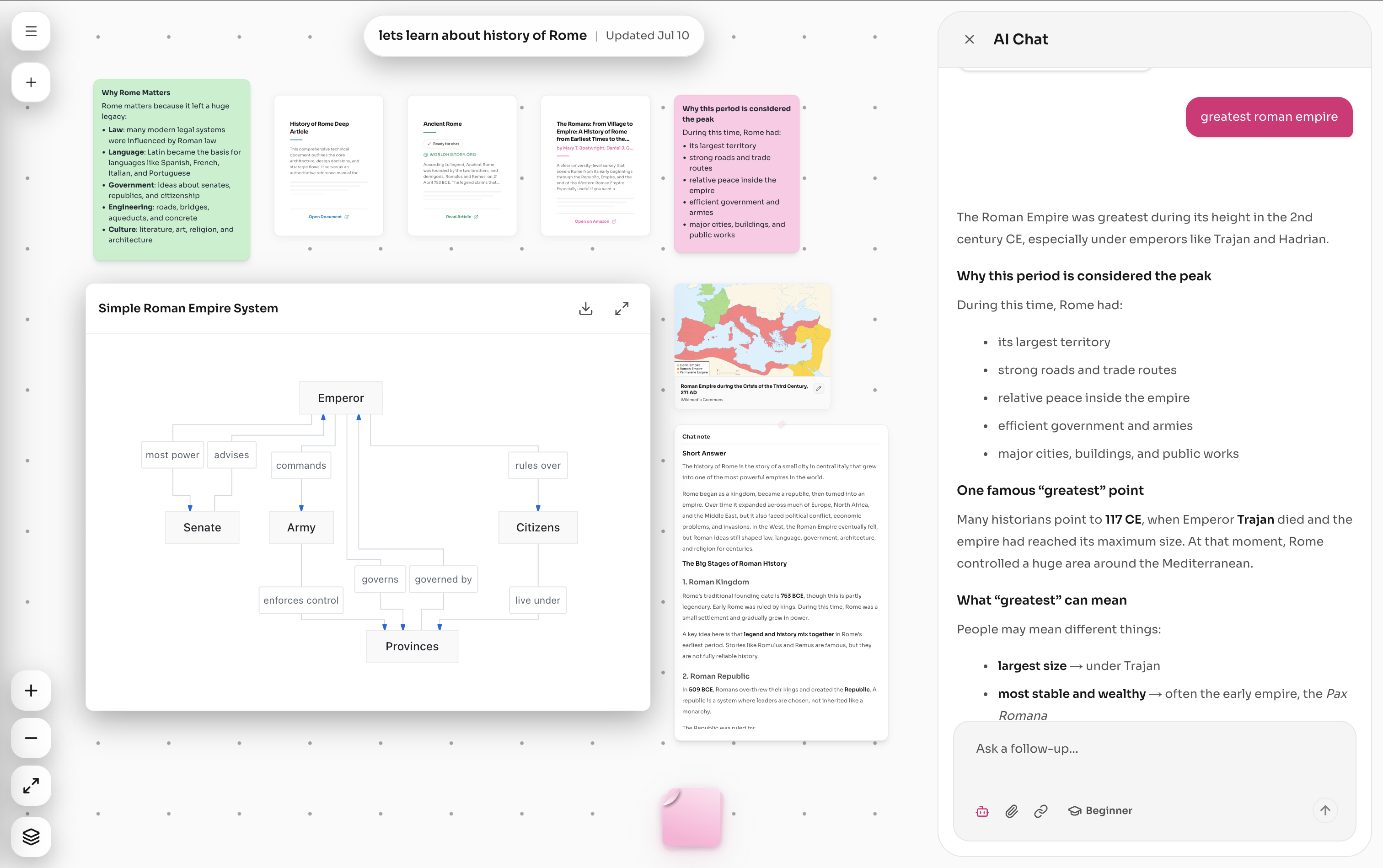
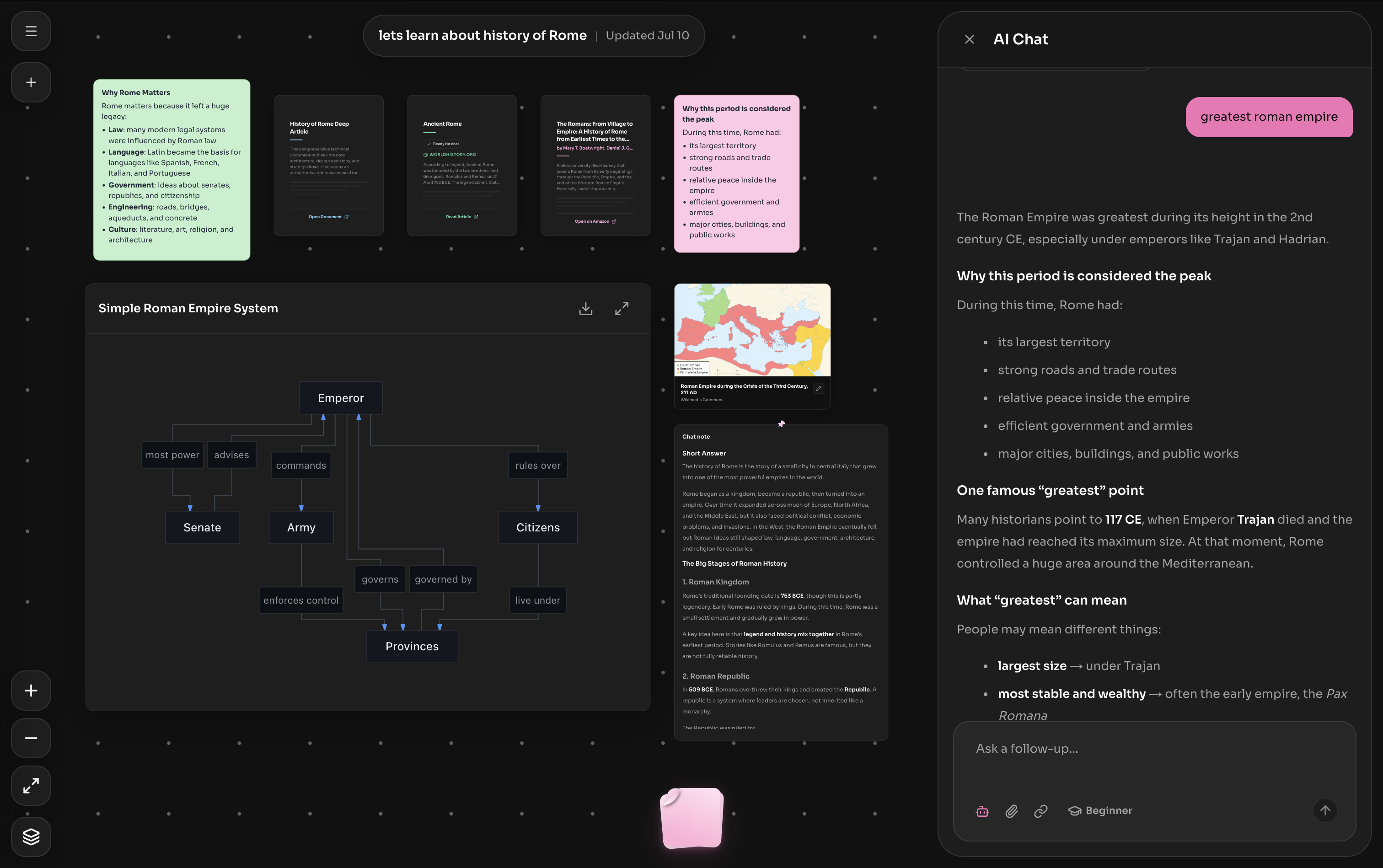
Watch how easy it is to import a topic or study note, generate an interactive curriculum tree, and start learning visually with DocTree.
Generate quizzes, flashcards, summaries, and notes from the topic you are already learning.
Keep practice attached to the exact node, source, or branch where the idea belongs.
Move from video, tree, notes, and practice without rebuilding decks or switching tools.
DocTree Advantage
DocTree offers a beautiful, modern interface out-of-the-box. Just upload your PDF, notes, or topic and start studying immediately without tweaking settings.
DocTree Advantage
Every flashcard and quiz in DocTree is linked directly to a node on an interactive concept map, building deep conceptual understanding and structural recall.
DocTree Advantage
DocTree's AI identifies definitions, dependencies, and formulas to build a ready-made study stack in seconds, fully editable by you.
Both tools leverage active recall and memory science, but they cater to different workflows.
Simple verdict
Choose DocTree for source-grounded exploration. Choose Anki for scheduled flashcard review.
Anki
DocTree
Traditional flashcards
Source-grounded learning workspace
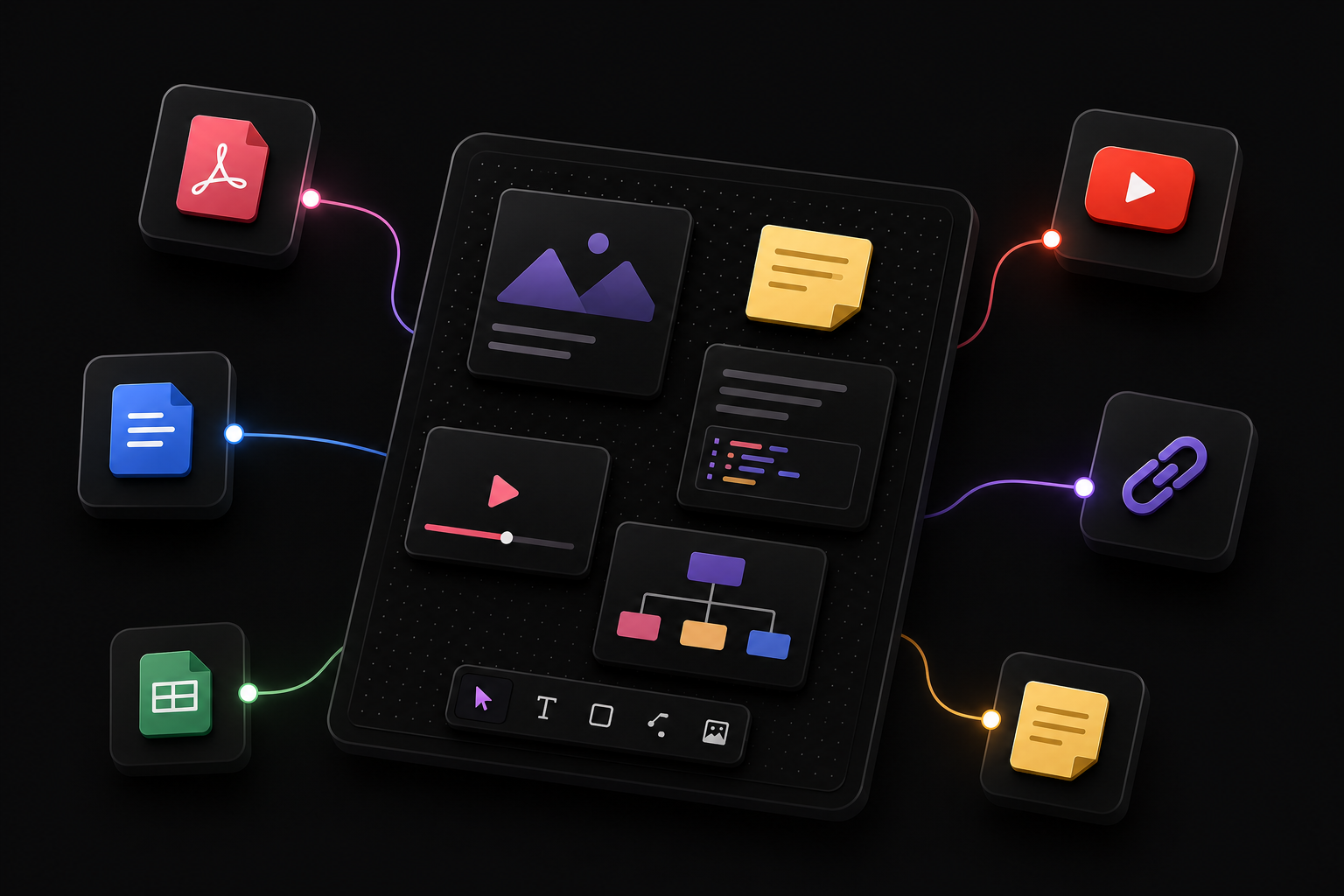
Add PDFs, text documents, articles, YouTube videos, links, and notes to one canvas. Keep the material behind your learning close at hand.

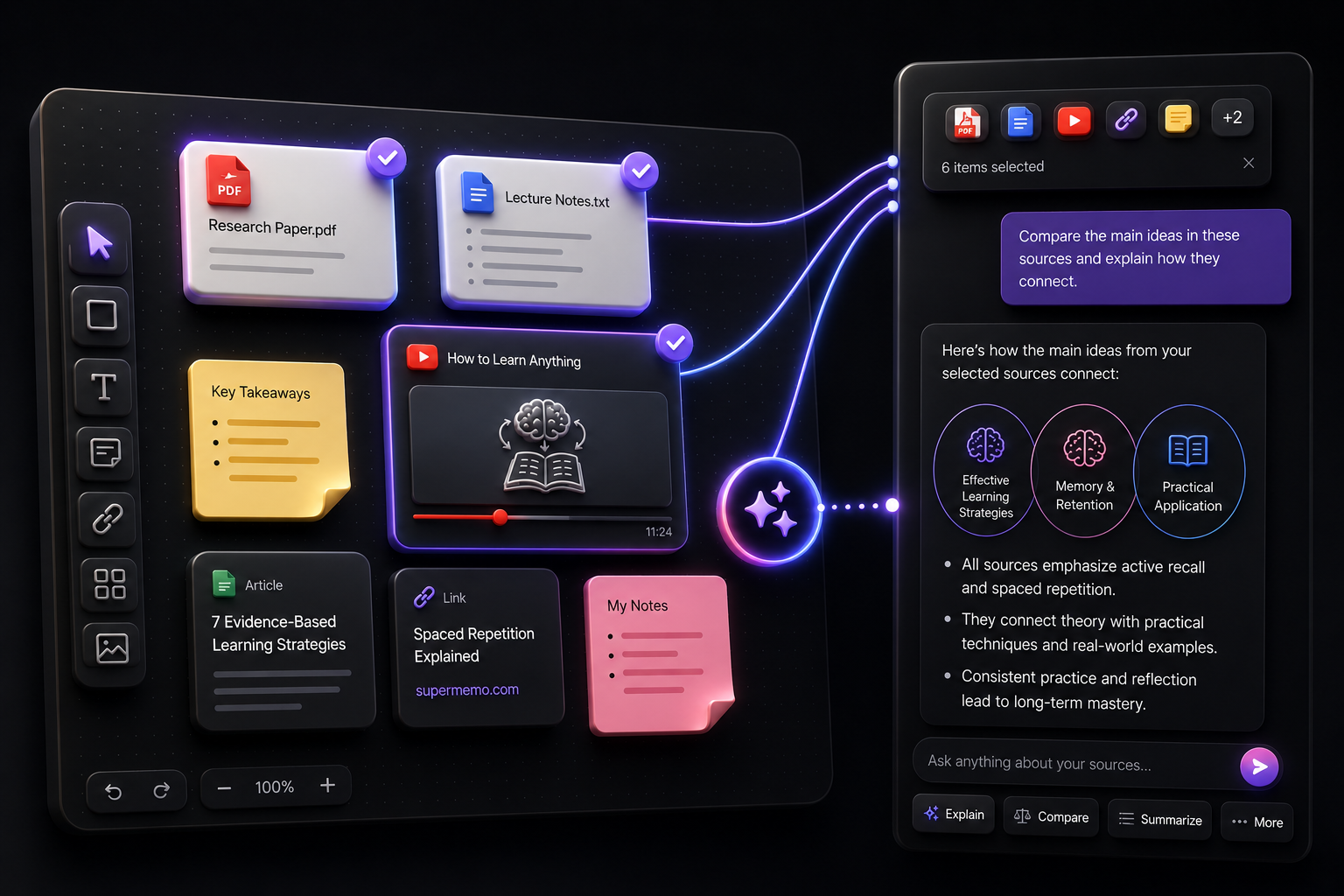
Select the exact sources or canvas items you want to discuss, then ask DocTree to explain, compare, summarize, transform, or expand them.

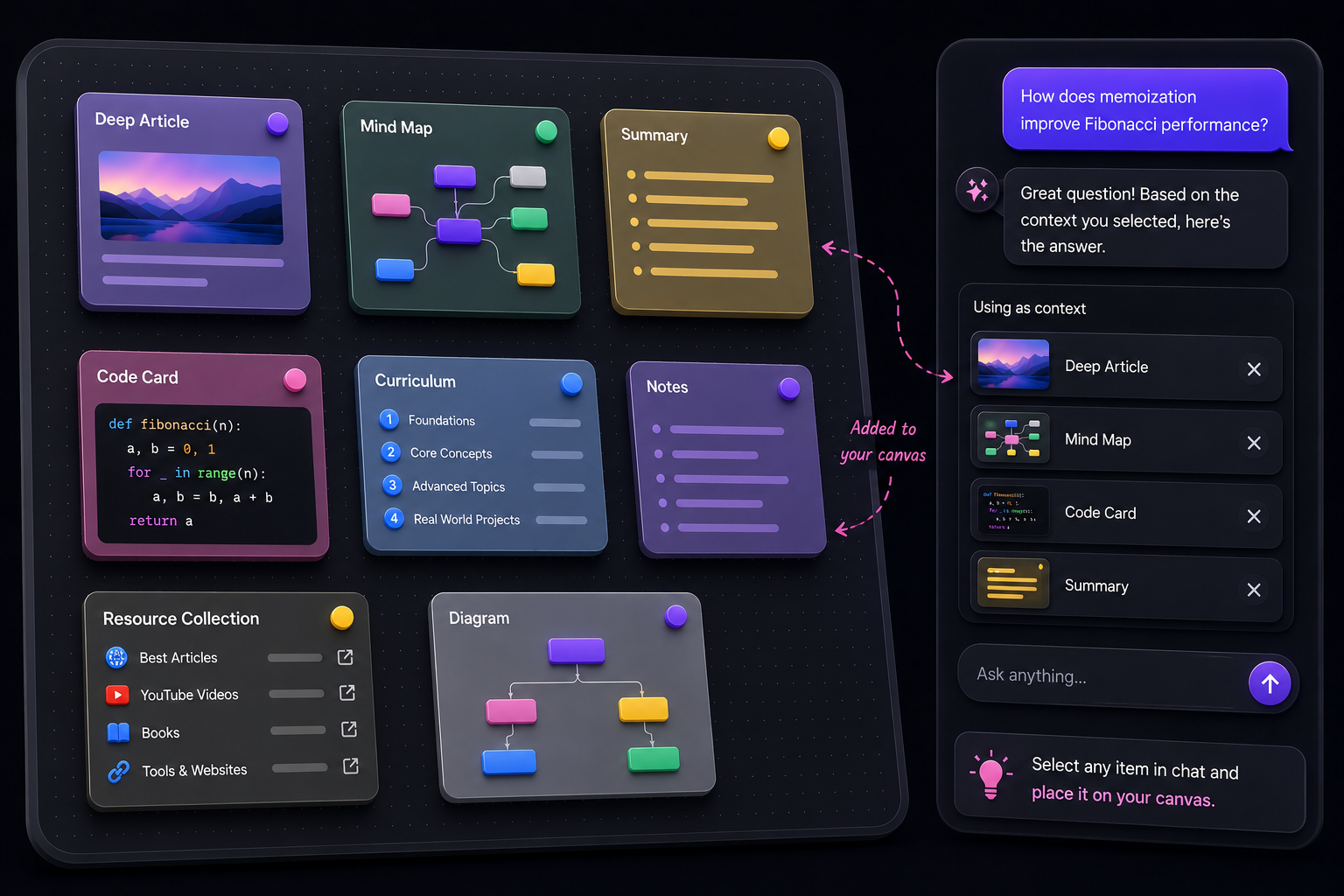
Create summaries, deep articles, diagrams, mind maps, curriculum, notes, code cards, and resource collections—then place them back on the canvas.
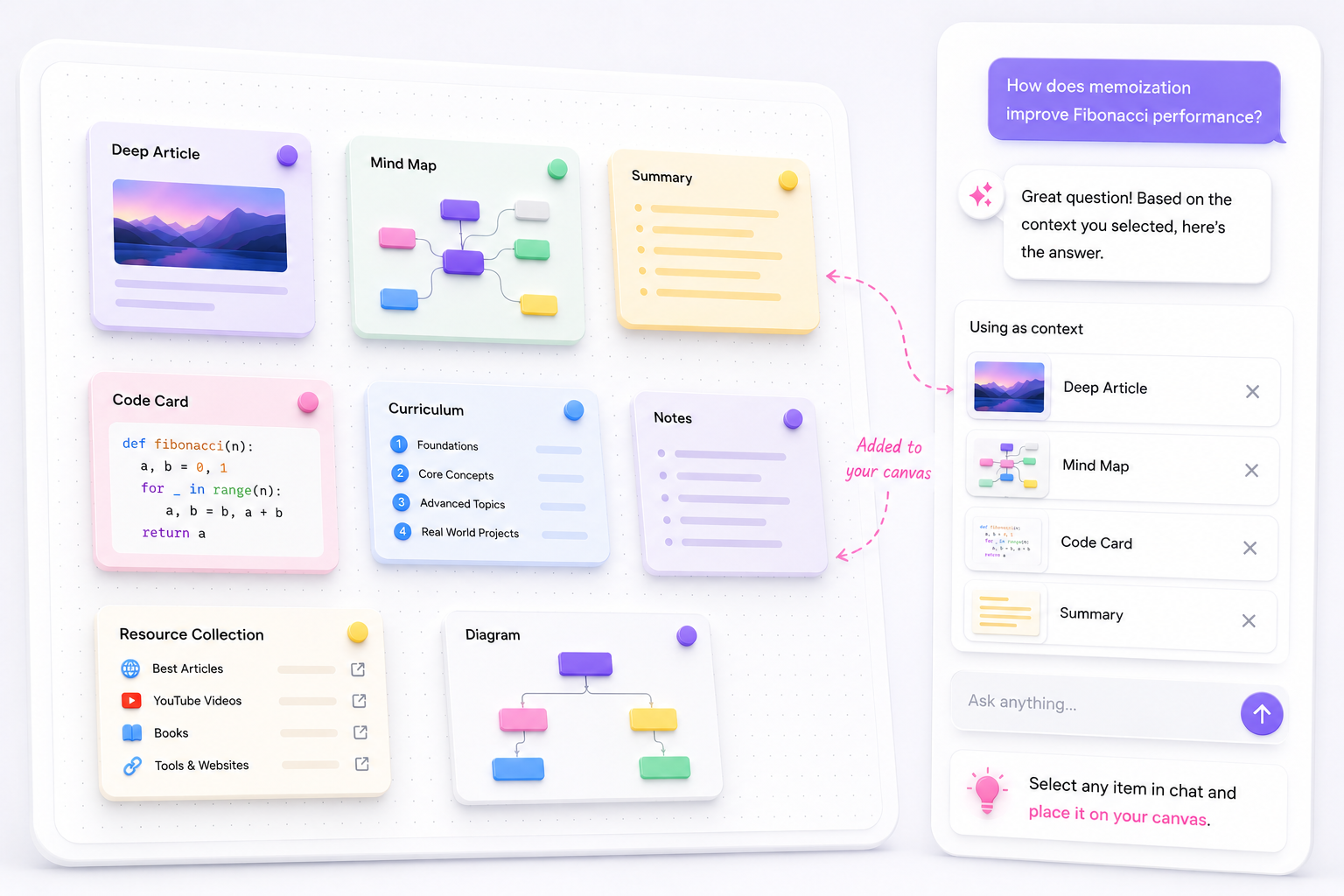
Everything has a place
Collect source material, capture your thinking, and create new learning artifacts—all in one connected workspace.
Ask questions grounded in uploaded documents.

Learn from transcripts and video explanations.

Keep useful articles and websites connected.

Save reading recommendations and references.

Keep people and experts worth learning from nearby.

Capture ideas, reminders, and selected chat passages.

Read summaries, curriculum, and deep explanations.

Keep visual references alongside the ideas they support.

Preserve reusable code directly from chat.

Visualize systems, processes, and relationships.

Explore a topic through expandable branches.
Don't lose your existing cards. Move your study decks over in minutes.
Open Anki, click 'File' -> 'Export', and select your deck as an Anki Deck Package (.apkg) or text format.
Log into your DocTree account, click 'Import Sources', and select your exported file.
DocTree reads your cards, organizes them into an interactive concept tree, and opens review sessions with visual recall, custom quizzes, and AI assistant chat.
Supported source types
Yes. DocTree supports importing standard Anki .apkg files, csv decks, and notes, converting them into interactive concept trees and card modules.
Yes. You can build knowledge trees, generate cards, and take practice quizzes for free without adding a credit card.
Instead of scrolling through a flat list of cards, DocTree creates a hierarchical mindmap. Each node in the mindmap represents a concept and holds its own cards, quizzes, and summaries.
Choose the plan that fits your study flow. Upgrade, downgrade, or cancel anytime.
For personal projects and experiments
No card required
Includes
For active learners building deeper knowledge trees.
$119.88/year, $36 less than monthly
Everything in Hobby, plus
For heavy learners, creators, and daily research workflows.
$239.88/year, $60 less than monthly
Everything in Pro, plus
Bring your notes, PDFs, or topics. DocTree will build the ultimate visual study map for you.
Free to start · Instant setup · No credit card required


